The Flero API
The Flero API lets your own code do what you do in the app: run workflows, read their results, and manage workflows and credentials. It is a JSON REST API, authenticated with API keys you create in Settings.
When to use it
- Start a workflow from another system. A CI pipeline, a script or a back-office tool runs a workflow and passes it input.
- Collect results. Poll a run until it finishes and read each node's output.
- Operate at scale. List failed runs, rerun them, or stop a run that is stuck.
- Report. Pull execution history into your own dashboards.
If an external service only needs to send events into Flero, a Webhook trigger is simpler. It needs no API key, and in wait mode it returns the workflow's result in the response.
In this section
| Page | What it covers |
|---|---|
| Authentication and API keys | Creating, scoping and revoking keys |
| Running workflows | Starting runs, following them, stopping and rerunning them, answering approvals |
| Errors and limits | The error format, status codes and what to do about each |
Base URL
The API lives on the same address you use to open Flero, under /api:
https://<your-flero-address>/api/Every request and response body is JSON. Field names are camelCase, for example workflowId and startedAt.
Quick start
- Create an API key in Settings → Credentials → API Keys. See Authentication and API keys.
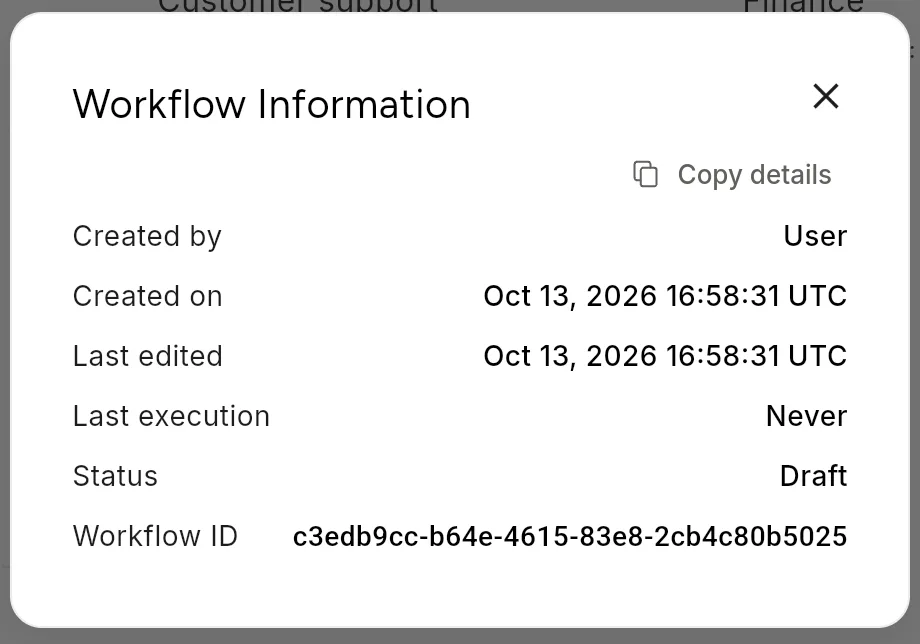
- Find the workflow ID. Open the workflow card's ⋯ menu and choose Information, or copy the last part of the editor URL.
- Run the workflow:
curl -X POST "https://<your-flero-address>/api/workflows/<workflowId>/execute" \
  -H "x-api-key: dk_..." \
  -H "Content-Type: application/json" \
  -d '{"input": {"orderId": "A-1001"}}'
Flero answers 202 Accepted with an executionId. Follow the run with:
curl "https://<your-flero-address>/api/executions/<executionId>" \
  -H "x-api-key: dk_..."
The run is finished when status is success, failed, timeout or stopped.
Endpoints at a glance
| Method | Path | What it does |
|---|---|---|
GET |
/api/workspaces |
Lists the workspaces you belong to, with their IDs |
GET |
/api/workflows?workspaceId=… |
Lists the workflows in a workspace |
GET |
/api/workflows/{id} |
Reads one workflow |
POST |
/api/workflows/{id}/execute |
Starts a run |
GET |
/api/workflows/{id}/executions |
Lists the runs of one workflow |
GET |
/api/executions?workspaceId=… |
Lists runs across a workspace, with filters |
GET |
/api/executions/{id} |
Reads one run, with node outputs |
POST |
/api/executions/{id}/stop |
Stops a run |
POST |
/api/executions/{id}/rerun |
Starts a new run with the original trigger data |
GET |
/api/approvals?workspaceId=… |
Lists runs waiting for an approval |
POST |
/api/approvals/submit |
Approves or rejects a waiting run |
Details and examples are on Running workflows.
Related
Found something out of date? This page lives in the Flero docs content set.