Approval notifications
Flero tells people about a waiting approval in two ways. Approvers on an Email-type Approval node get an email with the approval link. Everyone in the workspace sees the request in the app.
When a run reaches an Approval node with Approval Type set to Email, Flero emails every address under Approvers.
- Each address gets its own email.
- The email names the workflow and the step, shows your message, and has a button that opens the public approval page. No login is needed.
- Each pause sends a new email with a new link. An approval inside a loop emails on every pass.
Flero sends the email itself. You do not need an Email node, and there is no setting to turn it off apart from changing the Approval Type.
No email is sent when:
- The Approval Type is anything other than Email.
- The Approvers list is empty.
Only email delivery is supported. The Slack and Microsoft Teams approval types do not post anywhere. For a decision in Slack, use the Slack connector's Wait for response. See Approvals in Slack.
In the app
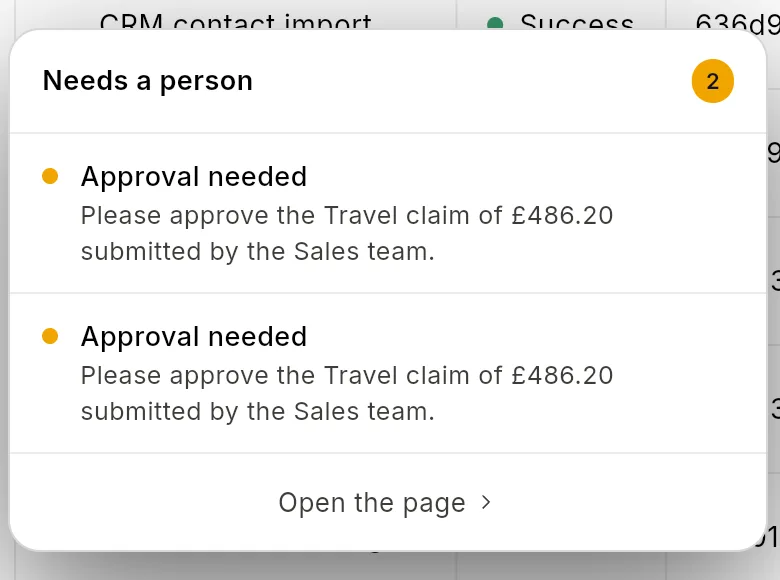
Every pending request shows up in the app for everyone in the workspace, whatever the Approval Type.
Notifications popup
Click Notifications in the sidebar. Each pending request appears as an Approval needed row with the workflow name and when it was requested. Click a row, or View all approvals at the bottom, to open Approvals.
In the editor
When the run you are looking at is waiting, the editor shows a bubble titled "
Approvals page
/approvals lists every pending request in the workspace as a card. Decide there. See Deciding in the app.
Telling people yourself
For a high-stakes request, you may want to frame the message yourself. Add a Slack, Email or Teams node before the Approval node with your own wording. Leave the Approval Type as UI Dialog if you do not want Flero's email as well.
The approval link is created when the run reaches the Approval node, so a node before it cannot include the link. Use Approval Type Email to send the link automatically.
Tips & gotchas
- Check spam folders. An approval email in spam never gets an answer.
- Add a fallback approver. If one person is away, a second address on the list can answer. The first decision wins. See Multiple approvers.
- Approval emails go out in sandbox mode too. They come from Flero, not from a node, so sandbox mode does not stop them.
- Notification settings do not affect approval emails. Settings → Notifications has no approval options.
Related
Found something out of date? This page lives in the Flero docs content set.