AI budgets
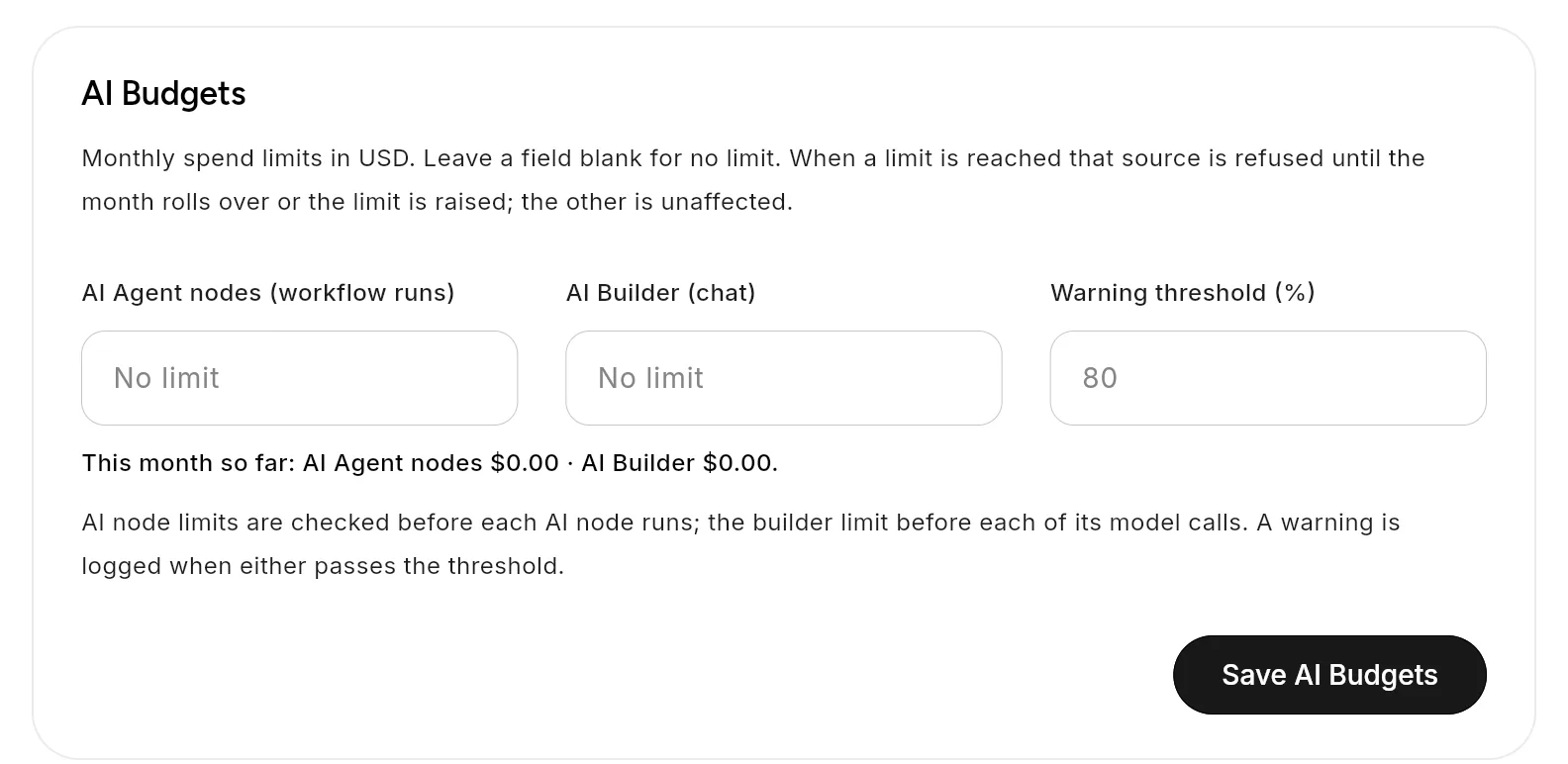
Cap how much a workspace spends on AI each month. Set two separate limits: one for AI nodes inside workflow runs, one for the AI builder chat. Open Settings → Workspace → AI Budgets.
The fields
| Field | What it limits |
|---|---|
| AI Agent nodes (workflow runs) | Monthly spend, in US dollars, by AI nodes running inside workflows |
| AI Builder (chat) | Monthly spend, in US dollars, by the AI builder chat |
| Warning threshold (%) | The share of a limit at which Flero records a warning. Default 80. |
Leave a field blank for no limit. Zero also means no limit.
Below the fields, a line shows the spend so far this month, for example: "This month so far: AI Agent nodes $12.40 · AI Builder $3.10 across 4 builds ($0.78 per build)."
Only the workspace owner can save the budgets. Click Save AI Budgets.
What happens at the limit
The two limits are independent. A busy month in one does not stop the other.
| Limit reached | Effect |
|---|---|
| AI Agent nodes | Flero checks the budget before each AI node runs. When the month's spend has reached the limit, the node fails with "Workspace monthly AI Agent node budget exceeded: $spent / $limit. Increase the AI Agent node budget in workspace settings to continue." The node's error handling then applies. |
| AI Builder | Flero checks before each builder model call. The chat shows a message that the AI Builder budget is exceeded, and the builder stops until the limit is raised or the month rolls over. |
Spending resets at the start of each calendar month.
Tips & gotchas
- Set a limit on any workspace with scheduled AI workflows. A loop that calls an AI node many times can spend quickly while nobody watches.
- Plan for the failure. A workflow whose AI node hits the limit fails like any other failed node. Set the node's error mode in Node Settings if the workflow must carry on. See Retries & error handling.
- For per-run caps, add a Token/Cost Guard node in front of expensive AI calls.
Related
Found something out of date? This page lives in the Flero docs content set.